


For teams that want a forecastable bill, the strongest DocsBot alternative is SiteGPT. It counts plain messages instead of model-weighted AI credits and sells an unbranded widget for $468 a year (billed yearly) on any plan rather than gating it behind a $4,992 plan. Chatbase ranks first as the closest like-for-like replacement, with actions, voice, and a free tier.
Stay on DocsBot if you need raw ingestion capacity, ticket-history training, or action-taking agents. Switch to SiteGPT when a forecastable bill and an unbranded widget matter more than the feature ceiling.
iShort answer
DocsBot is a strong product. It supports 28 or more source types, trains on more content per dollar than SiteGPT, and ships actions, skills, and analytics SiteGPT does not have.
Two pricing decisions still push teams out. Larger models and actions burn AI credits faster, and DocsBot's own FAQ confirms the bot stops responding at the monthly limit. An unbranded widget is listed only on the $499 Business plan, so removing the badge costs $4,992 a year against $468 a year on SiteGPT billed yearly. Switching means retraining SiteGPT on the same sources, which usually takes an afternoon.
Procurement adds a third push. DocsBot puts SOC 2 Type II, GDPR, and a standard DPA on the $4,992-a-year Business plan and HIPAA on Enterprise. SiteGPT holds SOC 2 Type II and states GDPR compliance account-wide, and publishes its HIPAA BAA, though the BAA itself is still Enterprise-only.
Key takeaways
| Question | Answer |
|---|---|
| Closest like-for-like replacement | Chatbase, with actions, voice, a free tier, and a branding add-on |
| Best for predictable billing | SiteGPT, for plain message counting and cheap branding removal |
| Biggest switching trigger | Credits vary by model and action, and the bot stops answering at the limit |
| Second trigger | Unbranded widgets are Business-plan only, at $4,992/yr |
| Cost at the mid tier | DocsBot Standard $1,488/yr vs SiteGPT Growth $948/yr (both billed yearly), a 36% saving |
| Unbranded widget cost | DocsBot $4,992/yr vs SiteGPT $1,416/yr, a 72% saving |
| Keep DocsBot if | You need 15k+ pages, ticket training, actions, or a permanent free tier |
80%
of common customer service issues will be resolved autonomously by agentic AI by 2029, cutting operational costs by 30%, according to a Gartner prediction. The platform picked today shapes deflection for years.
Source: Gartner, March 2025Each one is verifiable on the DocsBot pricing page and plan comparison table, checked 27 September 2026.
Credits are not messages
A chat message starts at 1 credit on a 1x model, and larger models, AI actions, and longer requests each cost more. The credit total is not a message forecast.
The bot stops at the limit
DocsBot's own FAQ states that when the monthly AI credit limit is reached, the bot stops responding and shows visitors an error message until you upgrade, auto-add credits, or wait for the reset.
Unbranded is a $4,992 upgrade
Unbranded chat widgets are listed only on the Business plan, at $416 per month billed annually. There is no branding-removal add-on on the cheaper tiers.
Procurement features sit on Business
The plan table lists SOC 2 Type II, GDPR compliance, and a standard DPA as Business-plan features, and HIPAA as Enterprise only.
What does DocsBot do well?
DocsBot is one of the most capable content-trained chatbot platforms on the market. It holds 4.8 out of 5 from 15 reviews on Product Hunt and 4 out of 5 from 2 reviews on G2. DocsBot's homepage reports more than 75,000 users and more than 3,000 businesses.
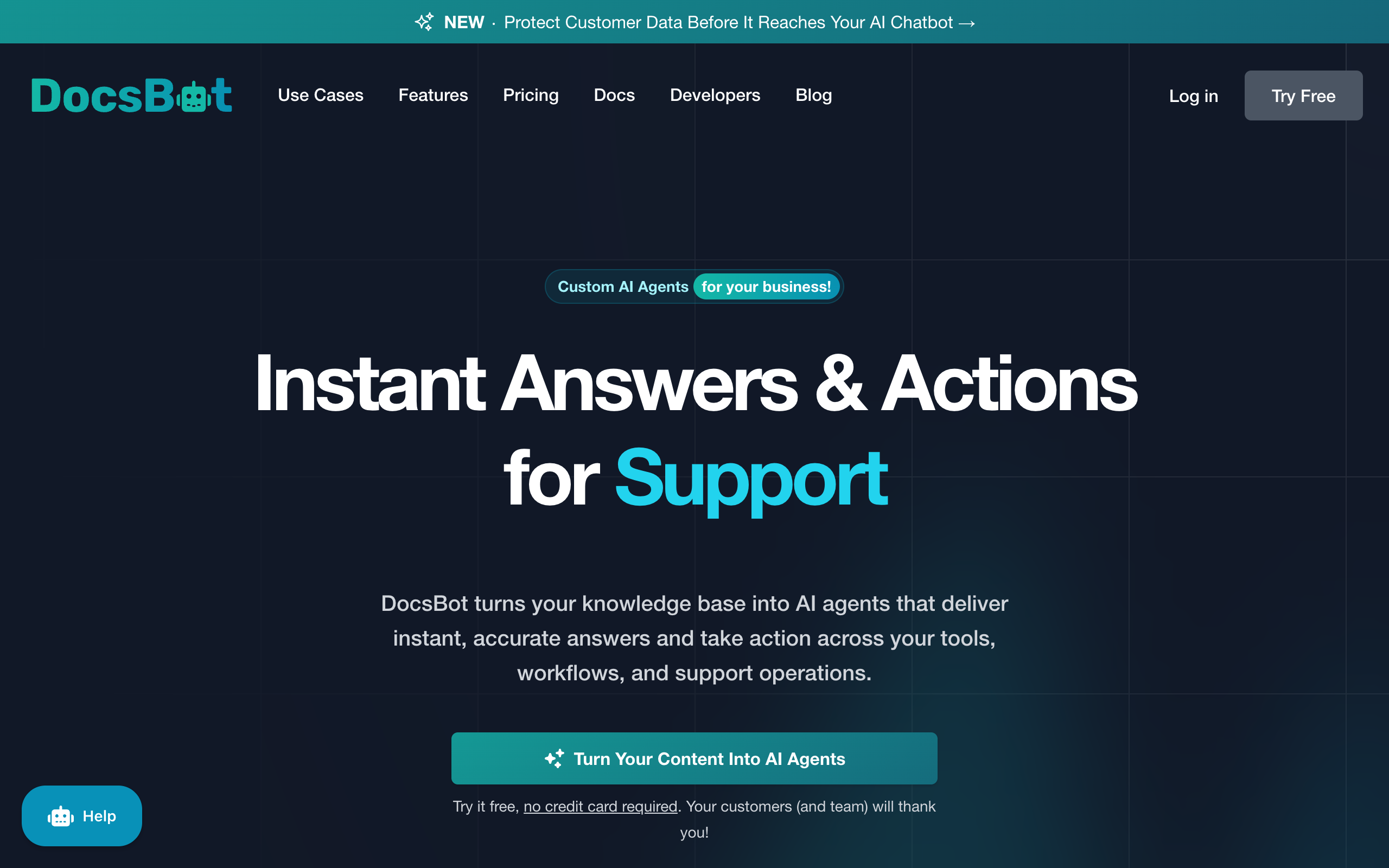
DocsBot does four things better than most of its category.
- DocsBot states support for 28 or more source types. Its documentation covers websites, sitemaps, RSS, Google Drive, Notion, Dropbox, OneDrive, SharePoint, Box, GitHub and Bitbucket code readers, YouTube, Confluence, Gitbook, Guru, Zotero, WordPress, Slack conversations, and ticket history from Zendesk, Freshdesk, Help Scout, Zoho Desk, Salesforce, and Teamwork.
- A DocsBot page is roughly 5,000 characters, and the Standard plan includes 15,000 of them. Few competitors sell that much content capacity at a comparable price.
- Stripe billing lookups, scheduling through Calendly, Cal.com, and TidyCal, web search, escalation ticket creation, and a skill builder are documented features, with 3 actions per bot on Personal rising to 12 on Business.
- Conversation summaries, question analytics, topic reports, and sentiment analysis go further than most standalone chatbot dashboards.
DocsBot also publishes named customer results. In a testimonial on its homepage, Sony Network Communications says DocsBot handled more than 30,000 inquiries for its NURO service in the first month, with a resolution rate of about 80%. Sentry.io also appears in its testimonials.
If your requirements read like the four bullets above, keep DocsBot.
Why do teams switch away from DocsBot?
Teams switch because of how usage is metered and which features sit behind which plan. Answer quality rarely comes up.
1. AI credits are not messages
DocsBot bills AI credits. Its pricing page says "AI credit usage starts at 1x per message and may use more for larger models and AI actions." Its FAQ adds that skill builder runs and longer or more complex requests also consume multiple credits, with usage rounded to the nearest credit.
So 15,000 credits on the Standard plan does not tell you how many messages you get. An agent running actions on a larger model burns through the allowance faster than the plan page implies. How much faster depends on model and action choices you make later.
2. The bot stops answering when the meter runs out
Running out of credits takes the bot offline. DocsBot's own FAQ says so directly: when you reach the monthly AI credit limit, "your bot stops responding and shows visitors a friendly error message."
The remedies are to upgrade, to enable auto-add so the credit add-on increases itself, or to wait for the calendar-month reset. Auto-add prevents the outage, but it makes the bill variable.
Topping up costs $49 per month for each 5,000-credit increase, or about $0.0098 per credit. SiteGPT's extra 5,000-message add-on is $39 per month on yearly billing, about $0.0078 per message and roughly 20% cheaper per unit. On monthly billing it is $59, about $0.0118 per message and roughly 20% more expensive per unit than DocsBot.
3. An unbranded widget requires the $499 plan
Unbranded chat widgets appear only in the Business column of the DocsBot plan comparison table. There is no branding-removal add-on on Personal or Standard, so the cheapest unbranded DocsBot is $416 per month billed annually, or $4,992 per year.
For an agency or any brand-sensitive site, that one requirement moves a Personal plan ($492 a year) to $4,992, about 10 times the bill. From Standard ($1,488 a year) it is about 3.4 times.
4. Seats are capped and cannot always be topped up
DocsBot includes 1 team user on Free and Personal, 5 on Standard, and 10 on Business. The extra team user add-on is $19 per month, and the pricing page notes the add-ons block applies to Business and Enterprise plans only. A four-person team on Personal cannot buy three more seats. It has to move to the Standard plan.
5. Procurement features sit on the Business tier
The plan comparison table lists SOC 2 Type II, GDPR compliance, a standard DPA, and standard contract terms as Business-plan features, with HIPAA available on Enterprise only. DocsBot's FAQ separately states the company is GDPR compliant and SOC 2 Type II audited, so the difference is contractual. If procurement requires a signed DPA, the plan table decides it, at $4,992 a year. The clauses that DPA should contain are covered in what to look for in a chatbot DPA.
SiteGPT also puts HIPAA on Enterprise only. The change is how much legal can check before a sales call. The standard BAA is published in full, covering the retention window, five-business-day breach reporting, subcontractor flow-down, and a rule that PHI is never used to train AI models.
The program page says BAAs are not available on Starter, Growth, or Scale. The docs list which features a covered workspace turns off. A DPA is available on Enterprise, and SOC 2 Type II and GDPR compliance apply account-wide.
What should you look for in a DocsBot alternative?
Five checks separate platforms that look similar on a feature grid.
- Metering you can forecast. Ask whether the billed unit is the unit your customer experiences. Messages are forecastable. Credits weighted by model and action are not.
- Failure behavior at the limit. Find out what happens when the allowance runs out. A bot that stops answering is a support outage, and a bot that silently auto-tops-up is a budget surprise.
- Branding removal cost. Check whether branding removal is an add-on or a plan gate. The gap between those two designs is often larger than the base-plan gap.
- Seats included, and seats purchasable. Support is a team activity. Check how many people can log in, and whether extra seats can be bought at all on your tier.
- Where escalations land. An AI that cannot hand off cleanly into the desk your agents already use creates a second inbox nobody watches.
What are the best DocsBot alternatives?
The ranking weighs how completely each tool replaces DocsBot, then how predictable the bill is.
- Chatbase ranks first as the closest like-for-like replacement. It matches DocsBot on actions and a free tier, adds voice and telephony agents, and removes its badge with a $99 per month add-on instead of a plan upgrade. It meters message credits per model request, so it keeps the same forecasting tradeoff. The switching math off Chatbase is in the Chatbase alternative guide.
- SiteGPT ranks second and is the pick for predictable billing. It counts plain messages and sells branding removal as an add-on on any plan. The next section covers it in detail.
- ChatBot.com fits teams already running LiveChat or HelpDesk from Text, with a mature no-code workflow builder billed per seat.
Is SiteGPT a good DocsBot alternative?
Yes, if you want predictable billing. SiteGPT is an AI chatbot platform that trains on your existing business content, answers customer questions, and escalates to a person when someone asks for one. It uses retrieval-augmented generation, explained in what is RAG. It targets the same job as DocsBot and makes different tradeoffs on metering, branding, and escalation.
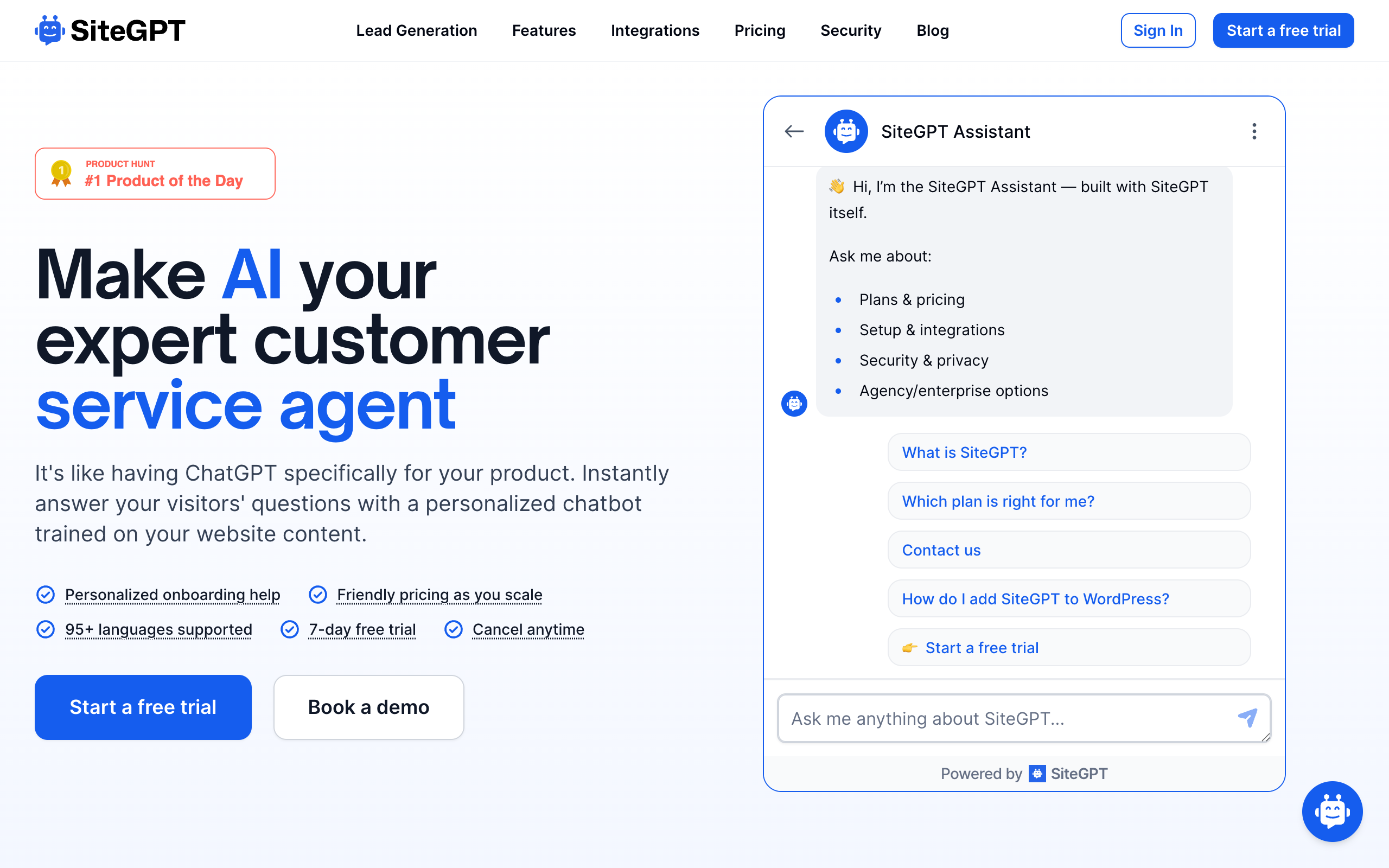
Key features
- Plain message counting: 4,000 messages on Starter, 10,000 on Growth, 40,000 on Scale. A message counts the customer's question and the AI's reply, and the headline figure assumes GPT-4.1-mini. Choosing GPT-4.1 for the whole quota lowers the count roughly tenfold, and the split is adjustable at any time from billing settings.
- 12+ content sources: websites, sitemaps, YouTube, GitHub, raw text, file uploads (CSV, TXT, PDF, DOCX, PPTX, MD), Google Drive, Notion, Dropbox, OneDrive, SharePoint, Box, plus help centers including Zendesk, Freshdesk, Intercom, Confluence, and Gitbook.
- Branding removal on any plan: an add-on at $39/mo billed yearly or $59/mo billed monthly, rather than a plan gate.
- Human escalation on all tiers: when a customer asks for a person, the team is notified by email and in the dashboard with the transcript and captured contact details. Slack notifications start on Growth and webhooks on Scale.
- Chat-tool integrations: Slack, Crisp, Messenger, Google Chat, Freshdesk Messaging, and Zoho SalesIQ from Growth. Zendesk is Scale and above only and needs Zendesk Suite Professional or higher. Starter has no chat integrations. WhatsApp is a paid add-on on any plan ($59 a month billed monthly, or $39 a month billed yearly), and the WhatsApp AI chatbot page covers what it does on that channel. Intercom and HubSpot are not live.
- Auto-refresh: monthly on Growth, weekly refresh plus daily auto-scan on Scale, daily on Enterprise.
- 95+ languages, full control of appearance, logo, tone, and personality, plus an iOS app on Growth and above.
Pros
- Messages are counted plainly, so the allowance maps to replies rather than to model requests
- Branding removal is $468 per year on any plan (billed yearly), against a $4,992 plan upgrade on DocsBot
- 4 team seats on Growth at $79/mo billed yearly, or $19.75 per seat versus $24.80 on DocsBot Standard
- Human escalation on every tier, not from the mid tier up
- Extra usage is about 20% cheaper per unit on yearly billing ($0.0078 vs $0.0098)
- Native Slack and Crisp integrations from Growth, and Zendesk from Scale, put escalations in the desk agents already use
Cons
- No permanent free plan, only a 7-day free trial
- Fewer documented source types than DocsBot (12+ against 28+), with no ticket-history training
- Smaller page allowances, and a SiteGPT page is about half the size of a DocsBot page
- No Stripe, calendar, or web-search actions, and no skill builder
- No conversation sentiment or topic analytics
- Extra usage costs about 20% more per unit than DocsBot on monthly billing ($0.0118 vs $0.0098)
- No chat integrations on Starter
- Thin third-party review base (12 G2 reviews)
Pricing (annual rates, shown per month and billed yearly):
| Plan | Price | Includes |
|---|---|---|
| Starter | $39/mo ($468/yr) | 1 chatbot, 4,000 messages, 1,000 pages, 1 seat |
| Growth | $79/mo ($948/yr) | 2 chatbots, 10,000 messages, 10,000 pages, 4 seats, monthly auto-refresh, API |
| Scale | $259/mo ($3,108/yr) | 3 chatbots, 40,000 messages, 50,000 pages, 10 seats, weekly refresh + daily scan, webhooks |
| Enterprise | Custom | Up to 10,000 chatbots, 500,000 pages, daily refresh, signed DPA and HIPAA BAA available |
Monthly billing is higher at $59, $129, and $429 for Starter, Growth, and Scale. Add-ons: remove SiteGPT branding at $59/mo billed monthly or $39/mo billed yearly, and extra 5,000 messages at the same rates. Source: SiteGPT pricing.
4.8/5·G2(12)SiteGPT makes it easy & intuitive to get your chatbot setup & working in no time at all - anyone can do it.
Verified user on G2
Best forTeams whose chatbot answers questions from a content estate they can define, where the bill has to be forecastable and the widget has to carry their own brand.
Is SiteGPT cheaper than DocsBot?
Both platforms discount annual billing. DocsBot gives two months free on annual plans, and SiteGPT advertises up to 40% off. The fair comparison is annual against annual, so every row uses annual billing, including SiteGPT add-ons at their $39/mo yearly rate.
| What you need | DocsBot | SiteGPT | Difference |
|---|---|---|---|
| Entry paid plan | Personal, $41/mo ($492/yr), 1 bot, 1 seat | Starter, $39/mo ($468/yr), 1 bot, 1 seat | $24/yr less on SiteGPT, but DocsBot includes 5x the pages |
| Mid tier | Standard, $124/mo ($1,488/yr), 3 bots, 5 seats | Growth, $79/mo ($948/yr), 2 bots, 4 seats | $540/yr less on SiteGPT, a 36% saving |
| Unbranded widget | Business, $416/mo ($4,992/yr) | Growth + branding removal, $118/mo ($1,416/yr) | $3,576/yr less on SiteGPT, a 72% saving |
| Cheapest unbranded route | Business, $4,992/yr | Starter + branding removal, $936/yr | $4,056/yr less on SiteGPT |
| Extra usage | $49/mo per 5,000 credits ($0.0098 each) | $39/mo per 5,000 messages billed yearly ($0.0078 each), $59/mo billed monthly ($0.0118 each) | About 20% less per unit on SiteGPT yearly, about 20% more on SiteGPT monthly |
| Ten seats | Business, $4,992/yr | Scale, $3,108/yr | $1,884/yr less on SiteGPT |
$3,576 saved per year, a 72% reduction
An unbranded DocsBot widget requires the Business plan at $416 per month billed annually ($4,992 per year). SiteGPT Growth ($948 per year) plus the branding removal add-on ($468 per year) totals $1,416 per year, and includes 2 chatbots, 10,000 messages, and 4 seats.
DocsBot Business is more than a branding tier. It also carries 10 bots, 100,000 pages, 60,000 credits, sentiment analytics, and PII redaction. If you need those, the price is defensible. If the badge is your only reason to upgrade, you pay $4,992 a year to remove it.
Which platform can train on more content?
DocsBot reads far more content per plan. DocsBot counts a page as roughly 5,000 characters. SiteGPT counts a page as roughly 2,500 cleaned characters. Comparing plan limits without that conversion overstates SiteGPT by a factor of two.
| Tier | DocsBot pages | DocsBot characters | SiteGPT pages | SiteGPT characters |
|---|---|---|---|---|
| Entry paid | 5,000 | ~25 million | 1,000 | ~2.5 million |
| Mid | 15,000 | ~75 million | 10,000 | ~25 million |
| Top self-serve | 100,000 | ~500 million | 50,000 | ~125 million |
From both vendors' pricing pages and documentation. DocsBot pricing checked 27 September 2026.
DocsBot is ahead on
- Raw ingestion capacity, roughly 3x SiteGPT at the mid tier
- Source catalog: 28+ types including ticket history and code readers
- Actions: Stripe, Calendly, Cal.com, TidyCal, web search, skills
- Analytics: sentiment, topic reports, conversation summaries
- A permanent free tier for proofs of concept
SiteGPT is ahead on
- Plain message counting instead of model-weighted credits
- Branding removal at $468/yr on any plan (billed yearly), not a $4,992 gate
- Human escalation on every tier, with transcript handoff
- Native Slack and Crisp (Growth+) and Zendesk (Scale+) escalation targets
- About 20% cheaper per unit of extra usage on yearly billing
If 25 million characters is a real constraint for your content, DocsBot is the better engine and you should stay. Most support content is nowhere near that size. For most teams, metering and branding decide the switch, and capacity does not.
Can an AI agent run DocsBot or SiteGPT over MCP?
Both platforms speak the Model Context Protocol, in different directions. DocsBot lists remote MCP connections from the Personal plan, letting its agent call out to external MCP servers, and an MCP server from the Standard plan that exposes a bot to other clients.
SiteGPT publishes a remote MCP server with OAuth and a three-tool interface, so an assistant can create a chatbot, train it, and query it without the dashboard. Claude is the confirmed MCP client, and SiteGPT publishes setup guides for Claude Code, Cursor, and Codex. The broader picture of what an assistant can operate end to end is on the agents page, and the concept-level case for MCP in customer service covers why this matters beyond setup convenience.
DocsBot's MCP support extends what the bot can reach at answer time. SiteGPT's extends who can operate the platform. If you want a coding agent to own chatbot maintenance, evaluate the second.
The setup from Claude, step by step, is in how to build and run a chatbot from Claude. If you would rather script it, chatbot CLI covers provisioning a bot from your terminal.
What other DocsBot alternatives are worth knowing?
Three more options fit narrower cases.
- CustomGPT fits teams comparing credit-based platforms directly, and the credits-versus-messages breakdown there applies almost unchanged to DocsBot.
- Fin (formerly Intercom, now owned by Salesforce) fits teams that want the AI agent and the full service desk from one vendor, at a much higher total cost.
- Zendesk fits teams already working tickets in Zendesk that want to keep the desk and swap only the AI.
If you came to DocsBot to replace a search tool on a docs site, Algolia alternatives compares answer tools and search engines by job.
For the review-intent question of whether DocsBot itself is any good, see the DocsBot AI review. For a broader field with verified handoff details on each tool, see the roundup of AI chatbots with human handoff.
How do you migrate from DocsBot to SiteGPT?
Moving from DocsBot starts with your existing content. You add it to SiteGPT, test the answers against real customer questions, and go live when the results hold up. DocsBot can stay in place while you test.
The 7-day free trial is the simplest way to check the fit on your own content. It needs a credit card, and you can cancel before it ends.
For questions about your setup or timing, email Bhanu, SiteGPT's founder, at bhanu@sitegpt.ai.
When is DocsBot still the right choice?
Switching would be a mistake in four cases.
- Your content estate is very large. 15,000 pages at roughly 5,000 characters each is a bigger ceiling than SiteGPT sells at the mid tier. A lower price does not help if your content does not fit.
- You train on ticket history. Zendesk, Freshdesk, Help Scout, Zoho Desk, Salesforce, and Teamwork ticket sources are documented DocsBot features, from the Standard plan. SiteGPT ingests help center articles, not resolved tickets.
- The agent needs to do things. Stripe billing lookups, scheduling through Calendly, Cal.com, or TidyCal, web search, and custom action buttons are DocsBot features with no SiteGPT equivalent.
- You need a permanent free tier. SiteGPT's trial runs 7 days and requires a credit card. DocsBot's Free plan runs indefinitely at 100 credits per month, and its pricing page lists no 30-day bot expiry.
How do you choose a DocsBot alternative?
What does the chatbot need to do?
- If answer questions from documentation, help center, or site content→DocsBot or SiteGPT. Decide on price and branding
- If handle phone calls as well as chat→Chatbase
- If add AI to LiveChat or HelpDesk you already run→ChatBot.com
- If take actions: payments, bookings, live web search→DocsBot
- If learn from resolved support tickets→DocsBot
How predictable does the monthly bill need to be?
- If finance needs a fixed number→SiteGPT, which counts messages
- If variable usage with auto-top-up is acceptable→Either platform works
Does the widget need to carry only your brand?
- If yes, and budget matters→SiteGPT, at $468/yr billed yearly instead of a $4,992 plan
- If yes, and you also need actions or voice→Chatbase, with a $99/mo branding add-on
- If no, the vendor badge is fine→Either platform works
How much content does the bot need to read?
- If more than roughly 25 million characters→DocsBot Standard or Business
- If a normal help center or docs site→SiteGPT Growth
Which tool fits your use case?
| Scenario | Best pick | Why |
|---|---|---|
| Agency running client chatbots unbranded | SiteGPT | Branding removal at $468/yr billed yearly instead of a $4,992 Business plan |
| Finance requires a fixed monthly support-tooling line | SiteGPT | Messages are counted plainly, with no model or action multiplier |
| Docs site with 20,000+ long articles | DocsBot Standard | 15,000 pages at roughly 5,000 characters each |
| Bot should book demos or check Stripe billing | DocsBot | Documented Stripe, Calendly, Cal.com, and TidyCal actions |
| Team wants to train on 5 years of Zendesk tickets | DocsBot Standard | Ticket source types unlock at Standard |
| Support team of 4 sharing one dashboard | SiteGPT Growth | 4 seats at $79/mo billed yearly. DocsBot Personal caps at 1 and cannot add seats |
| Escalations must land in Slack or Crisp | SiteGPT Growth | Native Slack and Crisp integrations start on Growth |
| Escalations must land in Zendesk | SiteGPT Scale | Zendesk integration needs Scale+ and Zendesk Suite Professional+ |
| Inbound phone support alongside chat | Chatbase | Voice and telephony agents on Standard and above |
| Team already running LiveChat or HelpDesk | ChatBot.com | Same Text ecosystem, with a mature workflow builder |
| Knowledge spread across Google Drive and Notion | Either | Both ingest cloud drives natively, so decide on price |
| Proof of concept with no budget | DocsBot Free | 100 credits per month at $0, with no 30-day bot expiry |
| Multilingual customer base | Either | DocsBot documents 100+ languages, SiteGPT documents 95+ |
| Procurement needs a signed DPA | Compare quotes | DocsBot lists it on Business. SiteGPT lists it on Enterprise |
| Coding agent should maintain the chatbot | SiteGPT | Remote MCP server with OAuth, plus Claude Code and Cursor guides |
Frequently asked questions
Basics
What is the best DocsBot alternative? It depends on why you are leaving. Chatbase is the closest like-for-like replacement, with actions, a free tier, voice, and a $99 per month branding add-on instead of a plan gate. SiteGPT is the pick for teams that want a forecastable bill: it counts plain messages instead of model-weighted AI credits, sells branding removal as an add-on on any plan at $39/mo billed yearly ($59 monthly), and includes 4 team seats on Growth ($79/mo billed yearly, $129 monthly). DocsBot remains the better pick for raw ingestion capacity, action-heavy agents, and teams that need a permanent free tier.
Why do teams switch away from DocsBot? The two most common reasons are the AI credit meter and the branding gate. DocsBot's own pricing FAQ states that when you reach your monthly AI credit limit, your bot stops responding and shows visitors an error message, and that larger models, AI actions, and longer requests can each cost multiple credits per message. Separately, unbranded chat widgets are listed only on the Business plan, which is $499 per month or $416 per month billed annually ($4,992 per year).
When is DocsBot still the better choice? DocsBot is the better choice when the content estate is very large, when the agent needs to take actions such as Stripe billing lookups or booking through Calendly, Cal.com, or TidyCal, when you want to train on ticket history from Zendesk, Freshdesk, or Help Scout, when you need conversation sentiment and topic analytics, and when a permanent free tier matters for a proof of concept.
Pricing
How much does DocsBot cost in 2026? DocsBot pricing, checked on its pricing page on 27 September 2026, is $0 for Free with 1 bot, 50 source pages, and 100 AI credits per month, $49 per month ($41 billed annually, $492 per year) for Personal, $149 per month ($124 billed annually, $1,488 per year) for Standard, and $499 per month ($416 billed annually, $4,992 per year) for Business. Enterprise pricing is custom. Annual billing gives two months free.
Is SiteGPT cheaper than DocsBot? At the mid tier, yes. DocsBot Standard is $124 per month billed annually ($1,488 per year) for 3 bots, 15,000 source pages, 15,000 AI credits, and 5 seats. SiteGPT Growth is $79 per month billed yearly ($948 per year, or $129 billed monthly) for 2 chatbots, 10,000 pages, 10,000 messages, and 4 seats. On annual billing that is $540 less per year, a 36% saving, for a slightly smaller allowance. At the entry tier the two are within $24 a year of each other, and DocsBot includes far more pages.
How much does it cost to remove DocsBot branding? Unbranded chat widgets appear only on the DocsBot Business plan, so the cheapest route to an unbranded widget is $416 per month billed annually, or $4,992 per year. SiteGPT sells branding removal as an add-on on any plan at $39/mo billed yearly ($468 per year) or $59/mo billed monthly. On yearly billing, SiteGPT Growth plus branding removal totals $1,416 per year. That is $3,576 less per year, a 72% reduction.
Does SiteGPT have a free plan? No. SiteGPT offers a 7-day free trial on all plans (credit card required) rather than a permanent free tier. DocsBot has a Free plan with 1 bot, 50 source pages, and 100 AI credits per month with no 30-day bot expiry, and a 14-day money-back guarantee on paid plans.
Limits and metering
How do DocsBot AI credits work? AI credits are DocsBot's monthly usage allowance. A standard chat message starts at 1 credit on a 1x model, and larger models, AI actions, skill builder runs, and longer or more complex requests each consume more. Plans include 100 credits on Free, 5,000 on Personal, 15,000 on Standard, and 60,000 on Business. Extra credits are an add-on at $49 per month for each 5,000-credit increase, which works out to about $0.0098 per credit.
What happens when you run out of DocsBot AI credits? DocsBot's pricing FAQ states that when you reach your monthly AI credit limit, your bot stops responding and shows visitors a friendly error message. The options are to upgrade the plan, turn on the auto-add setting so the credit add-on increases automatically, or wait for the limit to reset at the start of the next calendar month.
Which platform can train on more content? DocsBot, by a wide margin. DocsBot counts a page as roughly 5,000 characters and includes 5,000 pages on Personal, 15,000 on Standard, and 100,000 on Business. SiteGPT counts a page as roughly 2,500 cleaned characters and includes 1,000 pages on Starter, 10,000 on Growth, and 50,000 on Scale. In characters, DocsBot Standard covers roughly 75 million against roughly 25 million on SiteGPT Growth.
How many seats does each platform include? DocsBot includes 1 team user on Free and Personal, 5 on Standard, and 10 on Business, and its extra team user add-on at $19 per month is noted as available on Business and Enterprise plans only. SiteGPT includes 1 seat on Starter, 4 on Growth, and 10 on Scale. At the mid tier on annual billing, that is $19.75 per seat per month on SiteGPT Growth against $24.80 on DocsBot Standard.
Features and switching
Does DocsBot have more content source types than SiteGPT? Yes. DocsBot states it supports 28 or more source types, and its documentation covers websites, sitemaps, RSS, Google Drive, Notion, Dropbox, OneDrive, SharePoint, Box, GitHub and Bitbucket code readers, YouTube, Confluence, Gitbook, Guru, Zotero, WordPress, Slack conversations, and ticket history from Zendesk, Freshdesk, Help Scout, Zoho Desk, Salesforce, and Teamwork. SiteGPT documents 12 or more source types. Source breadth is a real DocsBot strength, though ticket source types require the Standard plan or above.
What does SiteGPT do better than DocsBot? SiteGPT counts plain messages rather than model-weighted credits. It sells branding removal for $468 a year on yearly billing on any plan instead of gating it behind a $4,992 plan, and it escalates to a human agent on every tier rather than from Standard up. Slack, Crisp, Messenger, Google Chat, Freshdesk Messaging, and Zoho SalesIQ integrations start on Growth, and Zendesk on Scale. It also documents 95 or more languages. Extra usage is about 20% cheaper per unit than DocsBot on yearly billing, and about 20% dearer on monthly billing.
Can either platform be driven by an AI agent over MCP? Both support the Model Context Protocol in different directions. DocsBot lists remote MCP connections from the Personal plan and an MCP server that exposes a bot from the Standard plan. SiteGPT publishes a remote MCP server with OAuth and a three-tool interface, plus setup guides for Claude Code, Cursor, and Codex. Claude is the confirmed MCP client for SiteGPT.
Can you migrate a DocsBot bot to SiteGPT? Yes. You add your existing content to SiteGPT, test the answers against real customer questions, and go live when the results hold up. The 7-day free trial is the simplest way to check the fit, and Bhanu, SiteGPT's founder, answers questions about moving at bhanu@sitegpt.ai.
Sources
- DocsBot pricing, including the plan comparison table, add-ons, and pricing FAQ, checked 27 September 2026
- DocsBot documentation for source types, actions, MCP, and integrations
- DocsBot homepage for the 75k+ users and 3,000+ businesses figures and the Sony Network Communications (NURO) testimonial
- DocsBot reviews on Product Hunt, 4.8/5 from 15 reviews
- DocsBot reviews on G2, 4/5 from 2 reviews
- SiteGPT pricing and SiteGPT reviews on G2, 4.8/5 from 12 reviews
- SiteGPT HIPAA program page, standard BAA, and HIPAA workspace docs for BAA plan gating and contract terms
- Gartner, "Agentic AI Will Autonomously Resolve 80% of Common Customer Service Issues by 2029" (March 2025)