


ChatBot.com is an AI chatbot platform from Text, the company behind LiveChat. It trains an AI Agent on your website content and runs it as a chat widget. The product is polished, but its pricing meters seats and AI resolutions at the same time, so the bill climbs for larger teams and busier bots.
iShort answer
This review scores ChatBot.com 4.0 out of 5. The product and its user ratings (4.5 from 26 G2 reviews, 4.6 from 66 Capterra reviews) support a higher score, and the pricing model pulls it down. Billing is per user, the $19 entry plan includes 10 AI resolutions a month, and extra resolutions come in 50-packs at $0.99 each. Teams that need several seats or steady automated volume will pay much less on a flat-rate platform such as SiteGPT.
Key takeaways
| Aspect | Verdict |
|---|---|
| Best for | Small teams already using LiveChat or HelpDesk that want a polished AI Agent and run modest resolution volume |
| Pricing | Per user: $19/user/mo (Essential) and $79/user/mo (Growth) on annual billing, plus metered AI resolutions |
| Biggest strength | Mature, well-supported platform with a strong no-code workflow builder and native LiveChat integration |
| Biggest limitation | Cost scales on two axes at once: seats and AI resolutions. Essential includes only 10 resolutions per month |
| Third-party rating | 4.5/5 from 26 reviews on G2, 4.6/5 from 66 reviews on Capterra |
| Better alternative | SiteGPT for flat-rate pricing, 4 seats on Growth ($79/mo billed yearly, $129 monthly), and 12+ content sources |
80%
of common customer service issues will be resolved autonomously by agentic AI by 2029, cutting operational costs by 30%, according to a Gartner prediction. Vendors now meter and charge for AI resolutions as their own billable unit.
Source: Gartner, March 2025Two independent meters. Most pricing comparisons only look at the first one.
Meter 1: Seats
Every plan is priced per user. A 4-person team on Growth pays $79 x 4 = $316 per month on annual billing.
Meter 2: AI resolutions
Essential includes 10 per month. Growth includes 200. One resolution means the AI solved a customer question, however many messages that took.
Overage: 50-resolution packs
Past the cap, extra resolutions come in packs of 50 for $49.50. That is $0.99 per resolution, bought in whole packs.
The result
The advertised $19 covers one seat with 10 monthly resolutions. Real cost rises fast past that.
What is ChatBot.com?
ChatBot.com is an AI chatbot platform owned by Text, which also owns LiveChat and HelpDesk. The product is branded ChatBot by Text. Its AI Agent answers from a Knowledge Hub of your help center, FAQ, and policy pages, according to ChatBot.com's features page. It also captures leads and recommends products.
The homepage now leads with training the bot on your website. ChatBot.com used to be known mainly for its visual, story-based flow builder.
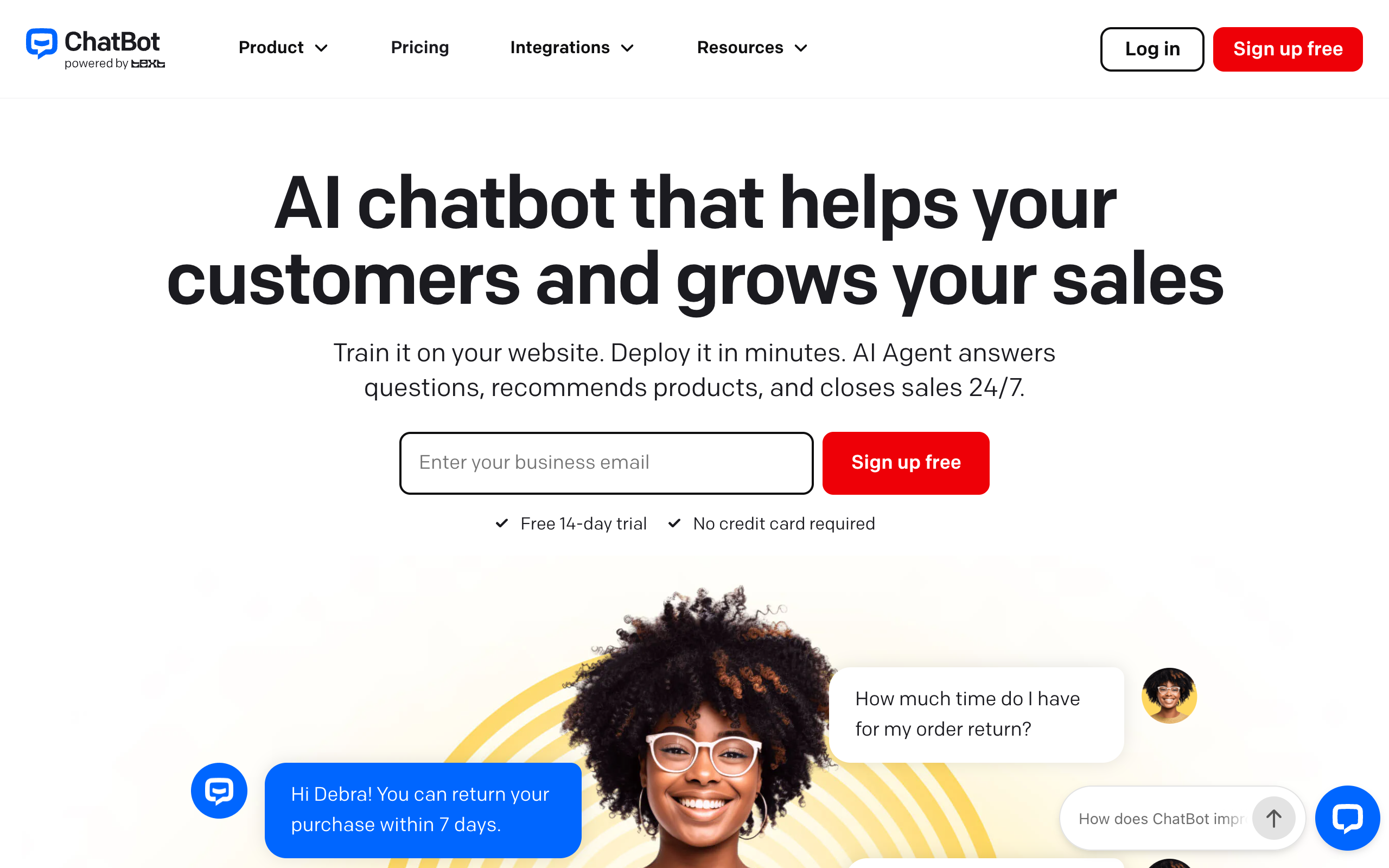
ChatBot.com now does both scripted flows and content-trained answers. The older split between the two approaches still matters when you compare other tools, and SiteGPT vs generic chatbots explains how each one handles questions outside the script.
What does ChatBot.com do well?
ChatBot.com has a broad feature set with clear documentation. Named capabilities on its features page include:
- An AI Agent with custom instructions for tone and behavior
- A Knowledge Hub that grounds answers in trusted sources such as a help center, FAQ, and policy pages
- Workflows built in a no-code editor, from templates or from scratch
- Handoff to Human for escalating conversations to a live agent
- AI Live Chat Automation and AI Help Desk Tickets, which tie into the wider Text suite
- Website Behavior Tracking and a Customer List for context on who is chatting
- Ticket Summary, Refine Replies, and Canned Responses for agent productivity
- Lead Generation for capturing contact details in the chat
The workflow builder is the strongest piece. The independent Chatimize review scores ChatBot.com 4.2 out of 5 and praises the builder's version control and testing. It also notes that you cannot view all flows in one overview. That makes large bots harder to manage.
The Text ecosystem helps existing customers most. Teams already on LiveChat or HelpDesk get an AI layer that shares context with the tools they run today, and that is a good reason to choose ChatBot.com over a standalone platform.
How much does ChatBot.com cost?
ChatBot.com charges per user, and every plan caps AI resolutions separately. Read both numbers together to estimate your real cost.
| Plan | Annual billing | Monthly billing | AI agents | AI resolutions/mo | Chat history |
|---|---|---|---|---|---|
| Essential | $19/user/mo | $25/user/mo | 1 | 10 | 60 days |
| Growth | $79/user/mo | $99/user/mo | 10 | 200 | Unlimited |
| Enterprise | Custom | Custom | Custom | Custom | Unlimited |
Source: ChatBot.com pricing, checked 27 September 2026. Growth adds chat summaries, tag suggestions, routing rules, and shared canned responses. Enterprise adds a dedicated account team, white-label widget, SSO, audit logs, and SLAs. It lists HIPAA compliance as coming soon.
There is a 14-day free trial with no credit card required, and no permanent free plan.
What counts as an AI resolution?
ChatBot.com's pricing page defines the unit clearly. One resolution means the AI directly solved a customer question, and several questions in the same chat still count as one.
That definition is fair, and arguably fairer than per-message billing. The problem is the included volume. Essential includes 10 AI resolutions per month, about one resolved conversation every three days.
How much do overages add?
When you hit the monthly limit, ChatBot.com's pricing page lets you buy 50 more resolutions for $49.50 so the AI keeps working. That is $0.99 per resolution, sold in whole packs of 50.
On Essential, one pack costs $49.50, about 2.6 times the $19 seat price. For a business resolving 100 questions a month on one Essential seat:
- Essential includes 10 resolutions, so 100 - 10 = 90 resolutions are over the cap.
- Packs come in blocks of 50, so covering 90 takes 2 packs: 2 x $49.50 = $99.
- The seat is $19, so the month costs $19 + $99 = $118, against an advertised $19.
A four-person team on ChatBot.com Growth pays $79 per seat, or $316 per month on annual billing. SiteGPT's Growth plan is $79 per month billed yearly ($129 billed monthly) and includes 4 team seats.
Save $237/mo, or 75%, on a 4-seat team
SiteGPT Growth at $79/mo billed yearly with 4 seats included, versus ChatBot.com Growth at $79/user/mo x 4 seats = $316/mo on annual billing. That is $2,844 saved per year before any AI resolution overage. On monthly billing it is $129 against $396, a $267/mo gap.
The two platforms meter usage in different units. SiteGPT's Growth plan includes 10,000 messages per month, while ChatBot.com's Growth plan includes 200 resolutions, and one resolution may span several messages. The seat comparison above is like for like, but the usage allowances do not convert directly.
What are ChatBot.com's pros and cons?
Pros
- Mature, well-supported platform backed by Text, the company behind LiveChat
- Strong no-code workflow builder with version control and testing, scored 4.2/5 overall by independent reviewer Chatimize
- Knowledge Hub grounds AI answers in trusted sources as well as scripted flows
- Native fit with LiveChat and HelpDesk for teams already in the Text ecosystem
- Named human handoff, lead generation, and behavior tracking features
- 14-day free trial with no credit card required
- 4.5/5 from 26 reviews on G2 and 4.6/5 from 66 verified reviewers on Capterra
Cons
- Per-user pricing means cost scales with team size as well as usage
- Essential includes only 10 AI resolutions per month, which most active sites will exceed quickly
- Extra resolutions cost $49.50 per 50-pack, so 100 resolutions on Essential costs $118 a month
- Reviewers repeatedly flag price: one Capterra reviewer wrote that even the smallest package is more expensive than most
- No permanent free plan
- Cannot view all flows in a single overview, which complicates large bot maintenance
- Some reviewers describe it as entry-level on its own and best used as an addition to LiveChat
What do users say about ChatBot.com?
4.5/5·G2(26) 4.6/5·Capterra(66)Users rate it well on both sites: 4.5 out of 5 from 26 reviews on G2, and 4.6 out of 5 from 66 verified reviews on Capterra. Reviewers praise how easy it is to set up a bot that learns from webpages and answers questions outside business hours.
Complaints fall into three groups. Price comes up most often, and one Capterra reviewer wrote that the smallest package costs more than most alternatives.
The second complaint is positioning. One G2 reviewer called it "more entry-level or a good addition for LiveChat." The same reviewer said the learning features were manual when they set it up.
The third is answer quality on thin or fast-changing topics. One Capterra reviewer said it struggles with very current subjects when little information exists on them. Bots fill that kind of gap with guesses, and how to stop a chatbot hallucinating covers the grounding and handoff rules that prevent it.
If you check prices on review sites, expect stale numbers. G2's pricing card still shows a "Starter $50 per month" plan, and Chatimize lists plans at $52 to $499. Both predate the move to per-user billing, so this review uses ChatBot.com's own pricing page.
Should you choose ChatBot.com or SiteGPT?
Choose ChatBot.com if you already run LiveChat or HelpDesk. Choose SiteGPT if you need several seats, a fixed bill, or content from more places than your website. Both train an AI chatbot on your content and escalate to people.
| ChatBot.com | SiteGPT | |
|---|---|---|
| Billing model | Per user, per seat | Flat per plan |
| Entry price | $19/user/mo annual | $39/mo billed yearly, $59 monthly |
| Mid tier | $79/user/mo annual | $79/mo billed yearly, $129 monthly, with 4 seats |
| Usage unit | AI resolutions (10 on Essential, 200 on Growth) | Messages (4,000 Starter, 10,000 Growth, 40,000 Scale) |
| Overage | 50-resolution packs at $49.50 | Extra 5,000 messages at $59/mo billed monthly or $39/mo billed yearly |
| Content sources | Knowledge Hub: website and help-center documentation | 12+ sources including websites, sitemaps, YouTube, GitHub, Google Drive, Notion, Dropbox, OneDrive, SharePoint, Box, file uploads, and help centers |
| Auto-refresh | Not published per tier | Monthly on Growth, weekly plus daily auto-scan on Scale |
| Languages | Multi-language | 95+ |
| Human handoff | Yes, with LiveChat | Yes, on all tiers with team notification. Chat integrations from Growth, Zendesk from Scale |
| Free trial | 14 days, no card | 7 days, card required |
Handoff is the row that decides most service deployments. If it is your main criterion, best AI chatbots with human handoff compares how each tool routes the chat to a person.
Where does content source depth matter?
SiteGPT ingests 12 or more source types. They include cloud storage (Google Drive, Dropbox, OneDrive, SharePoint, Box), GitHub, YouTube videos and playlists, and help centers such as Zendesk, Freshdesk, Intercom, Confluence, and Gitbook. If your knowledge lives in Notion or a GitHub repository instead of public marketing pages, this difference decides the choice. How a chatbot turns those sources into answers is explained in what is content ingestion.
Why does auto-sync matter?
SiteGPT refreshes trained content on a schedule: monthly on Growth, and weekly with a daily auto-scan on Scale. Fresher content means better answers and fewer escalations. That addresses the complaint ChatBot.com reviewers raised about current information.
SiteGPT does not replicate ChatBot.com's context sharing with LiveChat and HelpDesk. For a team already on those tools, ChatBot.com is the better choice.
If you are also weighing other content-trained tools, the same seat and usage questions come up in Chatbase alternatives and DocsBot alternatives.
What should you look for in an AI chatbot platform?
Five checks separate platforms that stay affordable from those that do not.
- Billing axis count. A platform that meters only usage is predictable. One that meters seats and usage compounds, because adding a teammate and adding volume each raise the bill.
- Included volume at the entry tier. Headline prices come from the cheapest plan, so check what that plan includes. Ten resolutions per month is enough for a trial and too few for production.
- Overage behavior. Automatic overage keeps the bot running but removes the decision point. Prefer platforms where going over a limit is your choice, or where the add-on is a flat monthly amount.
- Content source breadth. The chatbot can only answer from what it ingests. If internal knowledge lives in Notion, GitHub, Drive, or a help center, the platform needs connectors for those as well as a website crawler.
- Refresh cadence. Content changes over time. A platform that re-scans automatically keeps answering correctly, and one that needs manual retraining degrades quietly.
How was this review researched?
This review uses ChatBot.com's official pricing and features pages (pricing checked 27 September 2026), plus review data from G2, Capterra, and the independent Chatimize review. Plan limits, the AI resolution definition, and overage terms are quoted from the vendor's pricing page. SiteGPT figures come from SiteGPT's published pricing.
The 4.0 score starts from the product's strengths and its 4.5 and 4.6 user ratings, then deducts for pricing that meters seats and resolutions together. Ratings are cited only where the source page loaded and could be read directly. Figures that could not be verified at the source are left out.
Which platform fits your team?
Are you already using LiveChat or HelpDesk?
- If yes→ChatBot.com, for shared context across the Text suite
- If no→Evaluate on price and content sources, where SiteGPT leads
How many people need a seat?
- If 1 seat→Either. ChatBot Essential at $19 is cheapest if volume stays under 10 resolutions
- If 2-4 seats→SiteGPT Growth at $79/mo billed yearly includes 4 seats
- If 5+ seats→SiteGPT Scale at $259/mo billed yearly for 10 seats, versus $395+/mo for 5 ChatBot Growth seats
Where does your knowledge live?
- If public website and help center→Either platform handles this
- If Notion, GitHub, Drive, or YouTube→SiteGPT, for native connectors to all of them
How predictable does the bill need to be?
- If must be fixed→SiteGPT flat-rate plans
- If variable is acceptable→ChatBot.com, with an eye on resolution packs
Which should you pick for common use cases?
| Scenario | Best pick | Why |
|---|---|---|
| Existing LiveChat customer adding AI | ChatBot.com | Shares context natively across the Text suite |
| Solo founder, low chat volume | ChatBot.com | $19/user/mo is the cheapest entry point if under 10 resolutions |
| 4-person customer service team | SiteGPT | $79/mo billed yearly with 4 seats versus $316/mo for 4 ChatBot Growth seats |
| Docs live in Notion or GitHub | SiteGPT | Native connectors for both, with no manual copying into a website |
| Knowledge base changes weekly | SiteGPT | Weekly auto-sync plus daily auto-scan on Scale keeps answers current |
| Needs a fixed monthly budget | SiteGPT | Flat plan pricing with no per-resolution charges |
| High automated resolution volume | SiteGPT | Message allowances scale to 40,000/mo without per-resolution fees |
| Support content is YouTube tutorials | SiteGPT | Ingests videos, playlists, and channels directly |
| Enterprise needing SSO and audit logs | ChatBot.com | Published on its Enterprise tier alongside SLAs and white-labelling |
| Multilingual customer base | SiteGPT | 95+ languages supported |
| Patients may share health details in the chat | SiteGPT Enterprise | Signed HIPAA BAA on Enterprise, with the standard terms published |
On that last row, a SiteGPT BAA is Enterprise-only. It is not available on Starter, Growth, or Scale, and no PHI should reach the chatbot until the BAA is signed and enablement is confirmed in writing. ChatBot.com's pricing page lists HIPAA as coming soon on Enterprise.
A covered SiteGPT workspace confines PHI to end-user conversations, keeps training content PHI-free, and switches off connected apps and third-party chat integrations. Current status is at sitegpt.ai/hipaa, day-to-day behavior is in the HIPAA docs, and the standard BAA is published for legal review. What else a chatbot needs before it can handle patient data is covered in what makes a chatbot HIPAA compliant.
FAQ
Basics
What is ChatBot.com? ChatBot.com is an AI chatbot platform from Text, the company behind LiveChat, branded ChatBot by Text. It trains an AI Agent on your website content through a Knowledge Hub and deploys it as a chat widget that answers questions, recommends products, and captures leads.
Is ChatBot.com the same as Text or LiveChat? ChatBot.com is part of the Text product family and is branded ChatBot by Text. Text also owns LiveChat and HelpDesk, and ChatBot is designed to work alongside them. Some reviewers describe ChatBot as most useful as an addition to LiveChat rather than as a standalone platform.
Can ChatBot.com train on your website content? Yes. ChatBot.com includes a Knowledge Hub that lets the AI Agent answer from trusted sources such as a help center, FAQ, and policy pages. Its marketing now leads with training on website content rather than with manual flow building.
Pricing
How much does ChatBot.com cost? ChatBot.com pricing is per user. The Essential plan is $19 per user per month billed annually or $25 billed monthly. The Growth plan is $79 per user per month billed annually or $99 billed monthly. Enterprise pricing is custom. Every plan also caps AI resolutions: 10 per month on Essential and 200 per month on Growth.
What is an AI resolution on ChatBot.com? ChatBot.com defines one AI resolution as the AI directly solving a customer question, and multiple questions within the same chat still count as a single resolution. Resolutions are capped per plan, at 10 per month on Essential and 200 per month on Growth.
What happens if you exceed the ChatBot.com resolution limit? ChatBot.com sells extra resolutions in packs of 50 for $49.50, which works out to $0.99 per resolution. Its pricing page says that when you hit the monthly limit, you can immediately buy a pack so the AI keeps working. On the Essential plan at $19 per user per month (billed annually), a single pack costs about 2.6 times the seat price.
Does ChatBot.com have a free plan? ChatBot.com has no permanent free plan. It offers a 14-day free trial with no credit card required, after which a paid plan is needed to keep the chatbot running.
Comparisons
Is ChatBot.com worth it? ChatBot.com is worth it for teams that want a polished, well-supported chatbot builder and that either run low AI resolution volume or have budget for per-seat licensing. It holds a 4.5 out of 5 rating from 26 reviews on G2 and a 4.6 out of 5 rating from 66 reviews on Capterra. It is a weaker fit for teams with many seats or high automated resolution volume, because both are metered separately and the cost scales on two axes at once.
What is the best ChatBot.com alternative? SiteGPT is the strongest alternative for teams that want flat-rate pricing instead of per-seat billing and metered resolutions. SiteGPT plans start at $39 per month billed yearly ($59 billed monthly) with 4,000 messages included. Growth, at $79 per month billed yearly ($129 monthly), includes 4 team seats for the price ChatBot.com charges for a single Growth seat on annual billing.
How many content sources can each platform train on? SiteGPT ingests 12 or more source types, including websites, sitemaps, YouTube, GitHub, Google Drive, Notion, Dropbox, OneDrive, SharePoint, Box, file uploads, and help centers such as Zendesk, Freshdesk, Intercom, Confluence, and Gitbook. ChatBot.com's Knowledge Hub centers on website and help-center style documentation.
Features
Does ChatBot.com support human handoff? Yes. ChatBot.com lists Handoff to Human as a named feature, and it integrates with LiveChat for live agent conversations. SiteGPT also supports escalation to a human agent on all tiers, with the team notified when a customer asks to talk to a person. Its chat-tool integrations (Slack, Crisp, and others) start on Growth, and Zendesk on Scale.
Does ChatBot.com still have a visual flow builder? Yes. ChatBot.com offers Workflows built in a no-code editor, either from templates or from scratch. The independent Chatimize review scores ChatBot.com 4.2 out of 5 overall. It notes that flows cannot be viewed in a single overview, so large bots are harder to maintain.
Sources
- ChatBot.com pricing (checked 27 September 2026), for plan prices, resolution caps, the resolution definition, and overage packs
- ChatBot.com features, for the named feature list and Knowledge Hub sources
- ChatBot reviews on G2, 4.5/5 from 26 reviews
- ChatBot reviews on Capterra, 4.6/5 from 66 reviews
- Chatimize independent ChatBot.com review, scored 4.2/5 overall
- Gartner, "Agentic AI Will Autonomously Resolve 80% of Common Customer Service Issues by 2029" (March 2025)
- SiteGPT pricing